ON Golang
Creating an IOS shortcut to open my door with Golang and Vercel
How I used Golang and Vercel to create an IOS Shortcut that allows me to open my front door.
1. Introduction
My apartment building is using an automated system to unlock the front door. We have to use a proprietary app (AlphaTouch) and unlock the door by sliding a toggle. It takes time because the app is slow. Let’s find a way to make this easier!
Goal
Let’s have an iOS Shortcut instead! I will just have to press it on my phone home page.
It’s possible to create a Shortcut that execute a http request
I would like to have a simple endpoint (http://myendpoint.something/unlock_door)
2. Let’s find a way to open my door without the App
Alphatouch provides an APP and a Website.
When we open the website, we can see a “Trigger Open Door” button. Let’s click on it and check the network calls
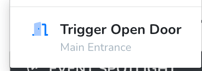
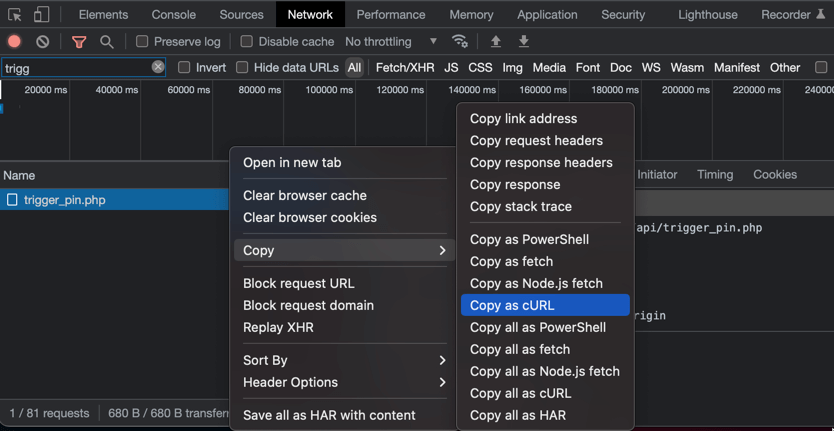
We can see that clicking this button fire a network call that I suppose open the door (the url is .../trigger_pin.php)
Before going further, let’s copy this command call as cURL (using the DevTools again) and let’s fire this CURL call again while I am in front of my door.
Success! The door open!
This network call contains tons of headers + query params + a body. We could just fire it from our iOS shortcut, but let’s make things easier and play with serverless functions instead!
3. A Go program triggering our cURL code
I chose to use Go because this is what I am using every day. We could use Python or JS, both are supported by serverless functions and may be faster to write, but I like Go syntax.
Let’s create a new folder/repository for our program. First, we need a simple function that triggers our http call.
To convert our complex cURL call to Go code, we can use this website: https://mholt.github.io/curl-to-go/
package open_door_entry

import (
	"encoding/json"
	"errors"
	"io"
	"net/http"
	"strings"
)

// By looking at the response from the HTTP Call, we can see that we get a JSON object contain a "success" variable
// Let's declare this object in Go in order to parse the reponse and monitor error/success
// It's easy to do with Jetbrains IDE, especially Goland. You can do "CMD+N" and "Type from JSON"
type openDoorResponse struct {
	Success bool `json:"success"`
}

func createReq() (*http.Request, error) {
    // generate this code using https://mholt.github.io/curl-to-go/
	req, err := ...
	return req, nil
}

// the function that will open our Door.
func OpenDoor() error {
	req, err := createReq()
	if err != nil {
		return err
	}

    // let's execute the query
	resp, err := http.DefaultClient.Do(req)
	if err != nil {
		return err
	}

	if resp.StatusCode != 200 {
		return errors.New(resp.Status)
	}


	// reading the body...
	defer resp.Body.Close()
	b, err := io.ReadAll(resp.Body)
	if err != nil {
		return err
	}

	// parsing the body
	var openDoorResp openDoorResponse
	err = json.Unmarshal(b, &openDoorResp)
	if err != nil {
		return err
	}

    // Checking response success
	if openDoorResp.Success {
		return nil
	}
	return errors.New("error success=false from response")
}
4. Let’s deploy this to Vercel
This piece of code is very small and fast to execute (~1sec, most of the time is spent in the http call) I plan to trigger this ~5 times a day (everytime I want to open my front door).
I found that the cheapest way to host this is to use serverless tech.
There are multiple offerings here, the most popular are:
- AWS with Lambda
- GCP with Cloud Functions
I heard good things about Vercel and I wanted to try them for a while. They are supposed to deliver the best dev experience.
Let’s try this out!
After looking at their website, they offer Serverless Functions.
As a part of their Free plan, you have access to:
- 100GB-Hours
- 10s function timeout
That’s perfect for our use case! Let’s set this up.
- Create an account on Vercel
- Install their CLI (
yarn global add vercel) (you will need nodejs + yarn installed for this) - Login with their CLI
vercel login - Create an empty
package.jsonat the root of your folder/repository (echo '{}' > package.json) - Link this repository to your vercel account
vercel link(you can delete thepackage.jsonafter this step!) - Then let’s refactor our repository to support their architecture! We just need a
apifolder at the root! - This
apifolder will contain all our “functions entrypoint”
Every function with a specific signature in this folder will be a Serverless Function. Let’s create ours!
// api/open_door.go
package handler

import (
	"net/http"

    // the func we just made before
	"dimitriwyzlic.com/serverless_functions/internal/open_door_entry"
)

// Any function using this signature will be a Serverless Func
func OpenDoor(w http.ResponseWriter, r *http.Request) {
	err := open_door_entry.OpenDoor()
	if err != nil {
		w.WriteHeader(http.StatusBadRequest)
		w.Write([]byte(err.Error()))
	} else {
		w.WriteHeader(http.StatusOK)
		w.Write([]byte("Success!"))
	}
}- Once this is done, just run
vercel dev - You will be able to query
localhost:3000/api/[your_file_name_without_extension] - If it’s working, just run
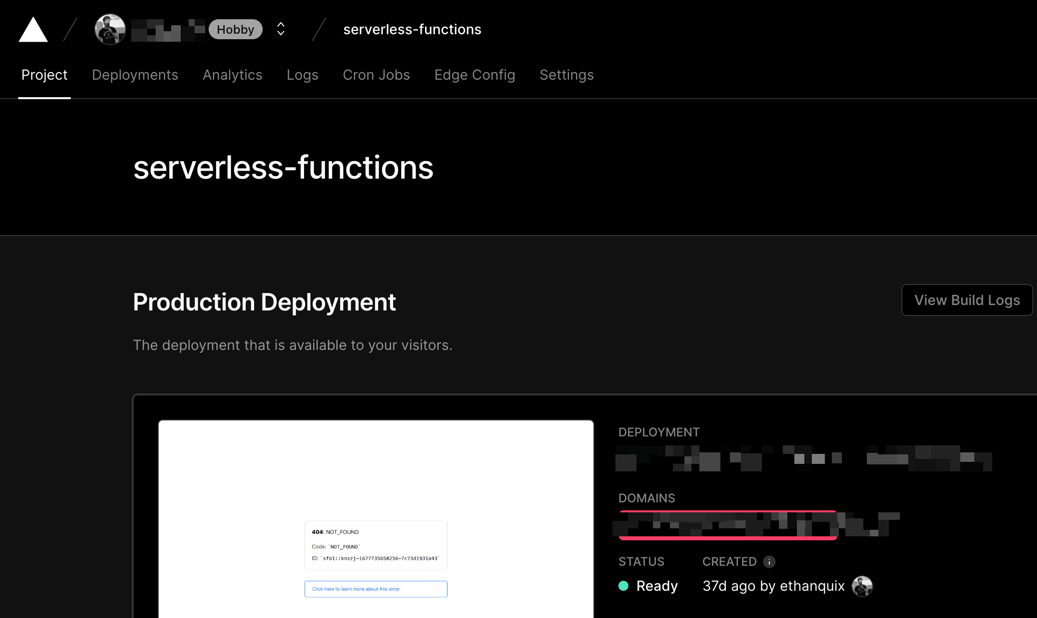
vercel prod - Now, go to the Vercel website and select your project. Get your prod url by looking at the following image
- Click on
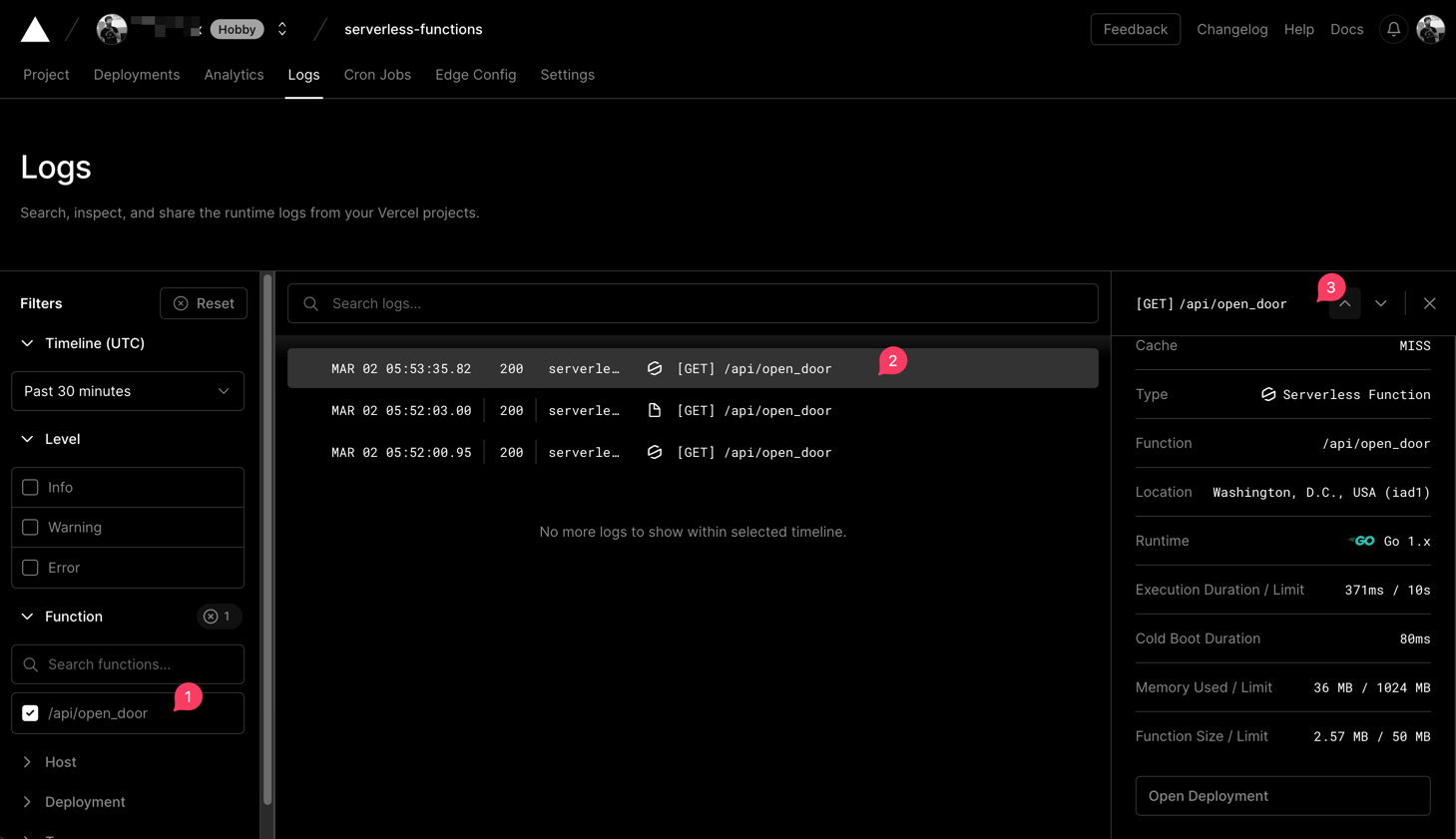
Logsthen on the left panel, expandFunctionand select your function. - Open a new tab and call
[your prod url]/api/open_door(replaceopen_doorwith whatever your file underapiis named) - If you go back to the previous tab containing your logs, you should see your call in real time!
5. Conclusion
Congratulation! You now have a working Go function hosted on the cloud that should be free forever!
I wanted to have an iOS shortcut that will allow me to open my door. The last step is just to create a shortcut with the Open URL or Get contents of action!
Final thoughts
This was a fun little side project — if you're building cooler things than most people, I'd love to hear about it.